

Create Consumers in a Specific Bucket
Every API key consumer in Zuplo lives inside a bucket, and each bucket is scoped to a specific environment. This guide shows how to pick a target bucket from the Services screen and create a consumer inside it.
For general API key management (creating consumers, viewing keys, assigning managers), see Manage Keys in the Portal.
Prerequisites
- A Zuplo project with at least one deployed environment (see the getting started tutorial)
- The API Key Authentication policy configured on your routes
- Permission to manage API key consumers in your project
Understanding buckets and environments
Zuplo creates three buckets for every project. Each isolates its own consumers and keys, so a key created in one bucket only authenticates requests against the matching environment.
| Bucket | Environment | Git branch |
|---|---|---|
| Production | Production | Default branch |
| Preview | Preview | Non-default branches |
| Development | Development | Local development |
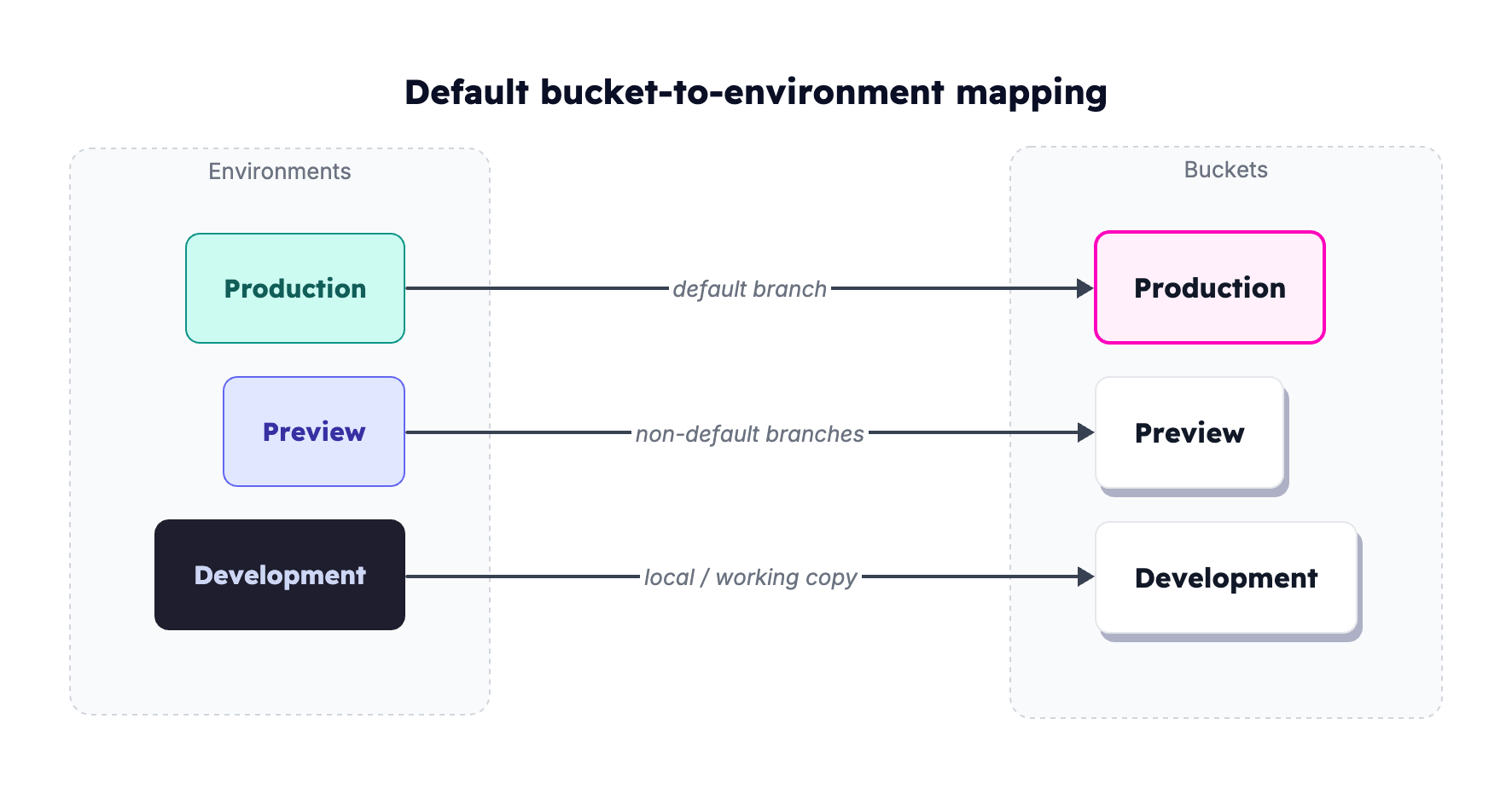
For deeper detail, see Buckets and Environments.
When you need a non-default bucket
- Per-environment isolation. Keep staging keys out of production.
- Custom buckets. Your team created extra buckets (QA, per-tenant) via the Developer API.
- Shared buckets across projects. Enterprise setups where one bucket backs several projects.
Find your buckets in the portal
-
Open your project in the Zuplo Portal.
-
Navigate to the Services page.
-
Locate the API Key Service card. Use the environment dropdown at the top right to filter the visible buckets. Pick All Environments to see every bucket, or pick a single environment to narrow the list.
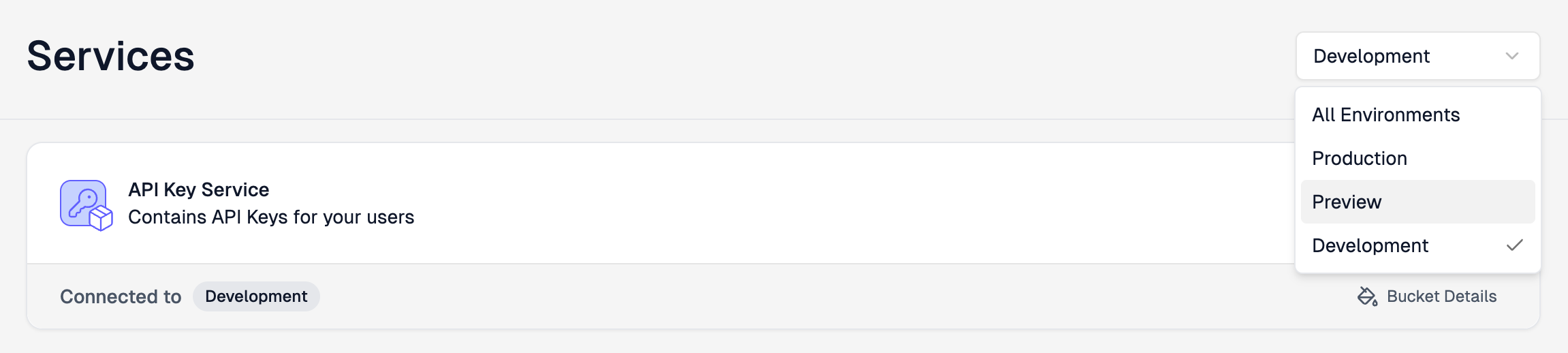
The card's Connected to badge shows which environment's bucket is currently active.
Create a consumer in a specific bucket
-
On the Services page, choose the target environment from the dropdown.
-
On the API Key Service card, click Bucket Details. The bucket's consumer list opens.
-
Click Create new consumer and fill in the form below.
-
Click Save consumer, then confirm it appears in the list.
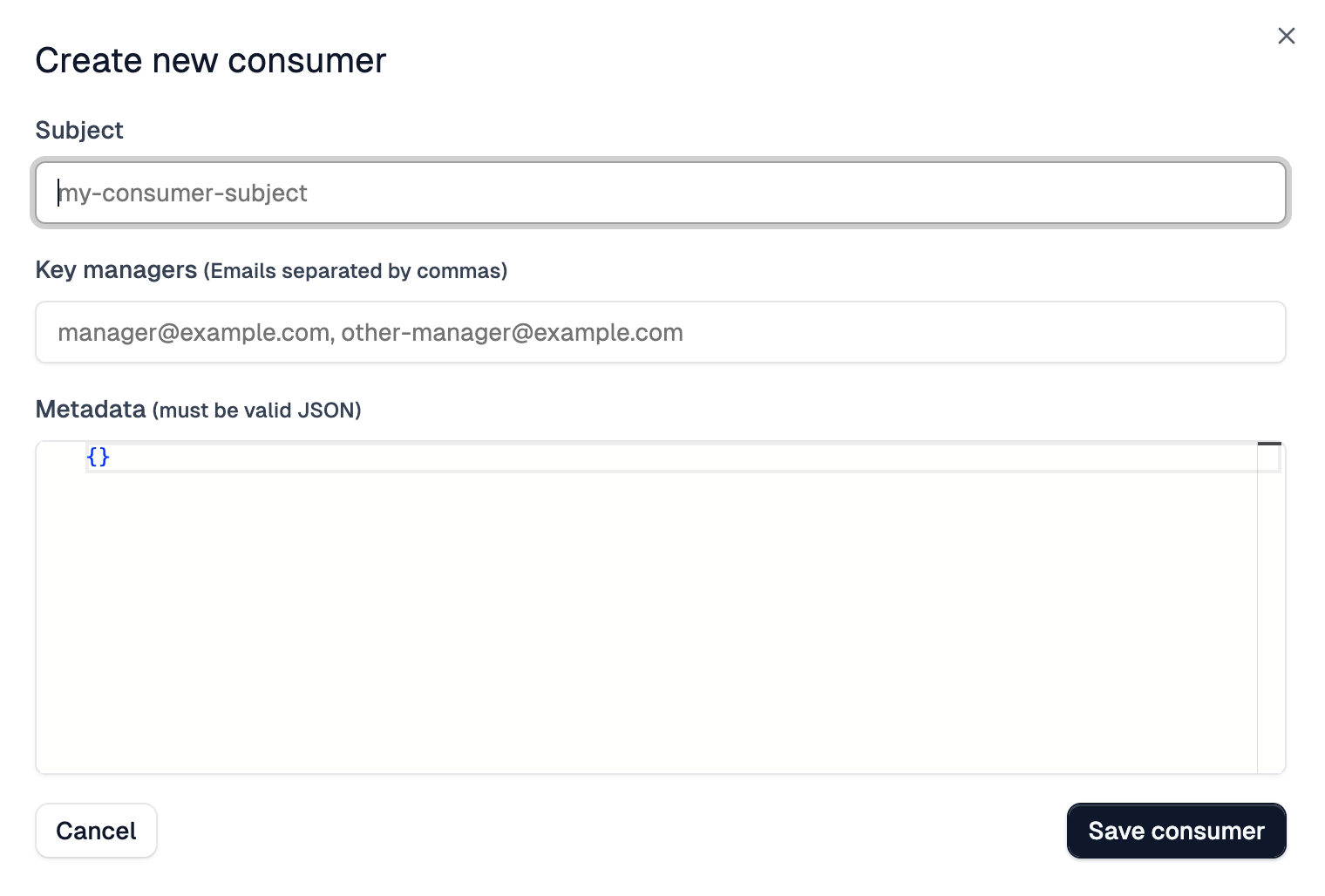
Consumer form fields
| Field | Required | Runtime value | Notes |
|---|---|---|---|
| Subject | Yes | request.user.sub | Unique within the bucket. Identifies the consumer in logs and policy code. |
| Key managers | No | n/a | Comma-separated emails of users who can manage this consumer's keys via the Developer Portal. |
| Metadata | No | request.user.data | Valid JSON object. Plan info, customer IDs, anything your policies need at runtime. |
Once created, the consumer's API key only authenticates requests routed through an environment whose API Key Authentication policy resolves to that same bucket.
How bucket selection affects key validation
The API Key Authentication policy decides
which bucket to validate keys against. With no bucketName set, the policy
defaults to the bucket that matches the current environment:
| Environment | Default bucket |
|---|---|
| Production | Production |
| Preview | Preview |
| Development | Development |
For a custom bucket, set bucketName (or bucketId) on the policy so it checks
the right one:
Code
If the consumer lives in one bucket but the policy checks a different bucket,
the key is not found and the request returns 401 Unauthorized. Make sure the
policy's bucket matches the bucket where you created the consumer.
Using the Developer API instead
To script consumer creation as part of an onboarding flow or CI/CD pipeline, use the Zuplo Developer API:
Code
Replace $ACCOUNT_NAME with your Zuplo account name, $BUCKET_NAME with the
target bucket name, and $ZAPI_KEY with your
Zuplo API key. Full reference at the
Developer API documentation.
Troubleshooting
My API key returns 401 Unauthorized
Usually a bucket mismatch. The consumer is in one bucket, but the policy checks a different one.
- In the portal, navigate to Services and confirm which bucket holds the consumer.
- Open the route's API Key Authentication policy. If
bucketNameorbucketIdis set, verify it matches the consumer's bucket. If neither is set, the policy uses the current environment's default bucket. - Either recreate the consumer in the correct bucket, or update the policy's
bucketNameto match.
I don't see the bucket I'm looking for
- Environment filter. Set the dropdown to All Environments to see every bucket.
- Custom buckets. Buckets created via the Developer API are account-scoped, not environment-scoped. They show under All Environments. If still missing, confirm the account using the list buckets API endpoint.
- Permissions. Account-level roles control access to the Services page. Confirm your role can view and manage API key consumers.
I created a consumer but it doesn't appear in the expected environment
Consumers belong to buckets, not environments directly. A consumer created while viewing the Preview environment sits in the preview bucket and only authenticates preview environments. Switch the dropdown to All Environments or the specific environment to locate it.
Related documentation
- Buckets and Environments: How buckets map to environments
- Manage Keys in the Portal: General portal management walkthrough
- API Key Authentication policy: Policy
configuration reference including
bucketName - Use the Developer API: Programmatic consumer management
- Create an API Key Consumer on Login: Automatically create consumers when users sign in
- Environments: How environments work in Zuplo