

API Key Authentication Policy
You can learn more about the Zuplo API Key Service in our documentation
Authenticate requests with Zuplo's fully managed API Key service. This policy is the easiest way to secure your API and can be combined with other policies like Rate limiting, quotas, and more to build a fully featured API to support your partners, developers, or customers.
With this policy, you'll benefit from:
- Simplified Authentication: Implement API key authentication in minutes with zero code
- Enhanced Security: Protect your APIs with robust key validation and management
- Developer-Friendly Experience: Provide an intuitive way for consumers to authenticate with your API
- Complete Management Solution: Create, revoke, and rotate API keys through Zuplo's built-in management portal
- Flexible Implementation: Support multiple authentication methods including header, query parameter, or cookie
- Granular Access Control: Assign custom metadata and permissions to different API keys
- Analytics Integration: Track API key usage and monitor consumption patterns
For more information on Zuplo's API Key Management service and options enabling self-serve API Key management see the following resources:
Configuration
The configuration shows how to configure the policy in the 'policies.json' document.
config/policies.json
Policy Configuration
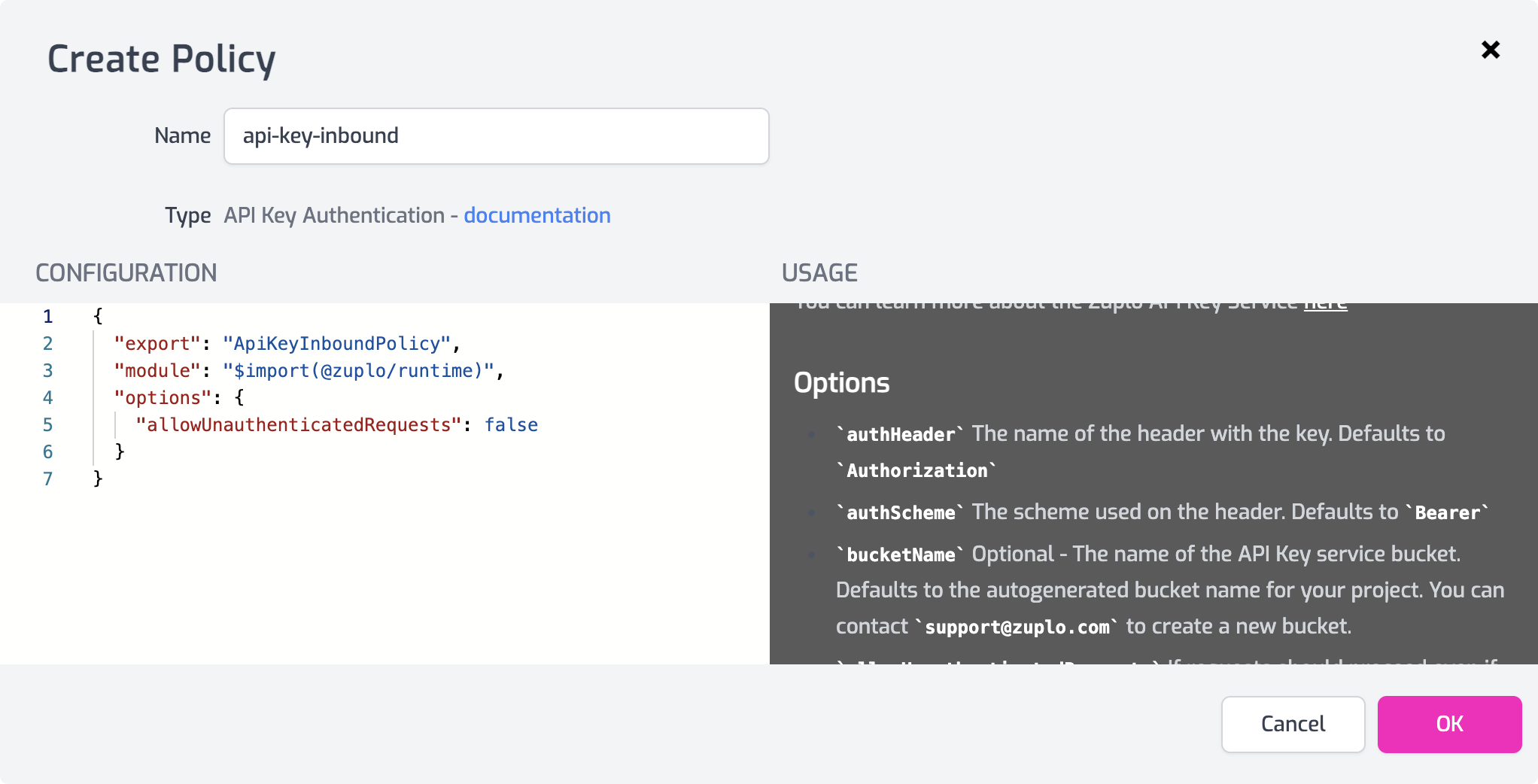
name<string>- The name of your policy instance. This is used as a reference in your routes.policyType<string>- The identifier of the policy. This is used by the Zuplo UI. Value should beapi-key-inbound.handler.export<string>- The name of the exported type. Value should beApiKeyInboundPolicy.handler.module<string>- The module containing the policy. Value should be$import(@zuplo/runtime).handler.options<object>- The options for this policy. See Policy Options below.
Policy Options
The options for this policy are specified below. All properties are optional unless specifically marked as required.
authHeader<string>- The name of the header with the key. Defaults to"Authorization".authScheme<string>- The scheme used on the header. Defaults to"Bearer".bucketId<string>- The ID of the API Key service bucket. Preferred over bucketName. Defaults to the autogenerated bucket ID for your project.bucketName<string>- The name of the API Key service bucket. Defaults to the autogenerated bucket name for your project.allowUnauthenticatedRequests<boolean>- If requests should proceed even if the policy does not successfully authenticate the request. Defaults to false and rejects any request without a valid API key (returning a401 - Unauthorizedresponse). Set totrueto support multiple authentication methods or support both authenticated and anonymous requests. Defaults tofalse.cacheTtlSeconds<number>- The time to cache authentication results for a particular key. Higher values will decrease latency. Cached results will be valid until the cache expires even in the event the key is deleted, etc. Defaults to60.disableAutomaticallyAddingKeyHeaderToOpenApi<boolean>- Zuplo will automatically document your API key header within your OpenAPI specification & Developer Portal. Set this totrueto disable this behavior.
Using the Policy
Adding API Key authentication to your Zuplo API takes only a few minutes. This document shows you how to add the policy to your routes, create an API key, and make a request using the API Key.
Add the API Key Policy
The first step to setting up API Key authentication is to add the API Authentication policy to a route in your project.
-
In the Zuplo Portal open the Route Designer in the Files tab then click routes.oas.json.
-
Select or create a route that you want to authenticate with API Keys. Expand the Policies section and click Add Policy. Search for and select the API Key Inbound policy.
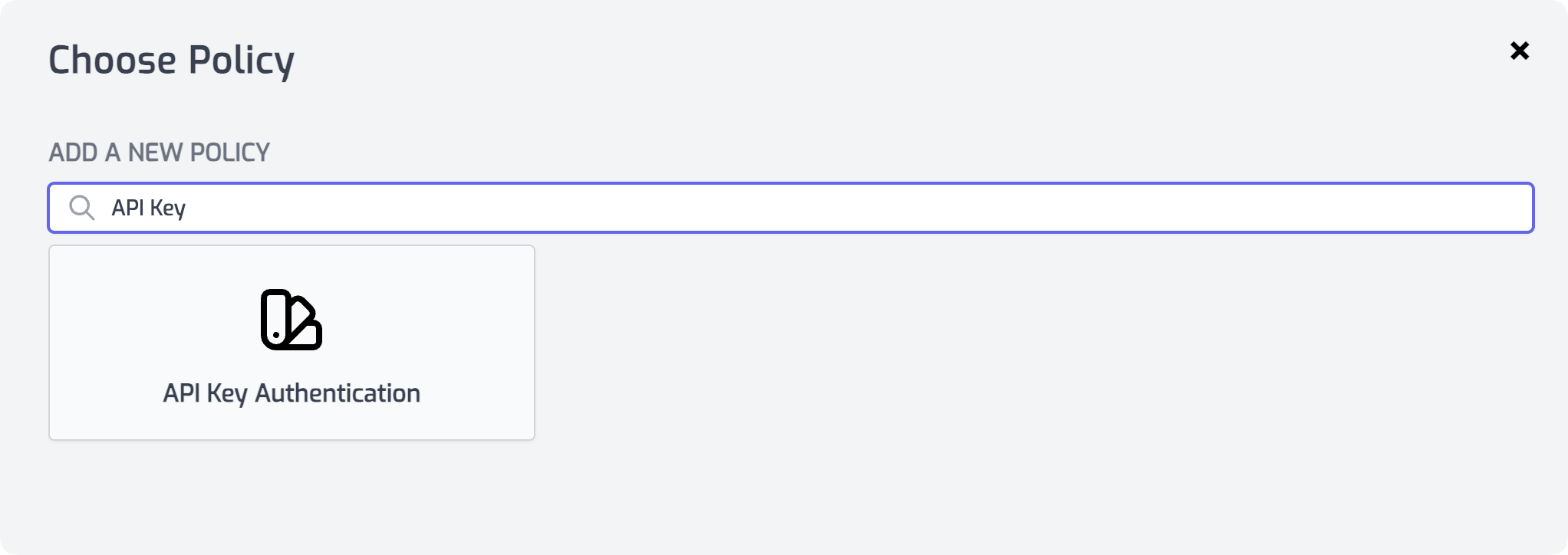
-
With the policy selected, you will see the configuration and information about the options. For this tutorial just leave the options as they are and click OK to save the policy.
Create an API Key
In order to make a request to the route, you'll need an API Key.
-
In the Zuplo Portal open the API Key Consumers section in the Settings tab.
-
Click the button Add New Consumer.
-
In the form that appears, enter a value for the Subject such as
my-test. You can leave the other fields empty. Click OK to create the consumer.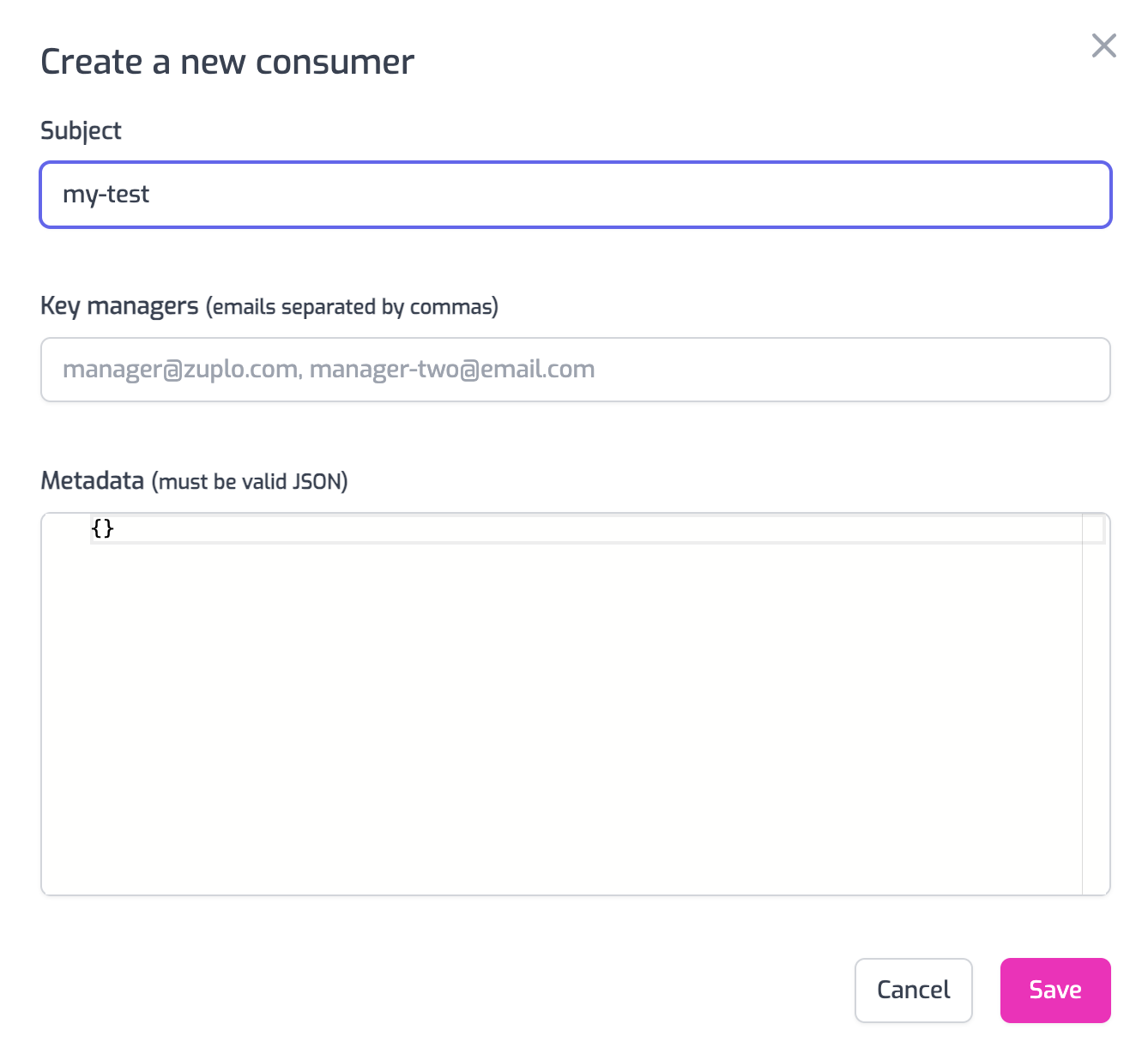
-
Now you can see the newly created consumer and its default API key. Select the Copy button to copy the API Key. You will use this value in the next section.

Test the Policy
Finally, you'll make two API requests to your route to test that authentication is working as expected.
-
In the route designer on the route you added the policy, click the Test button. In the dialog that opens, click Test to make a request.
-
The API Gateway should respond with a 401 Unauthorized response.
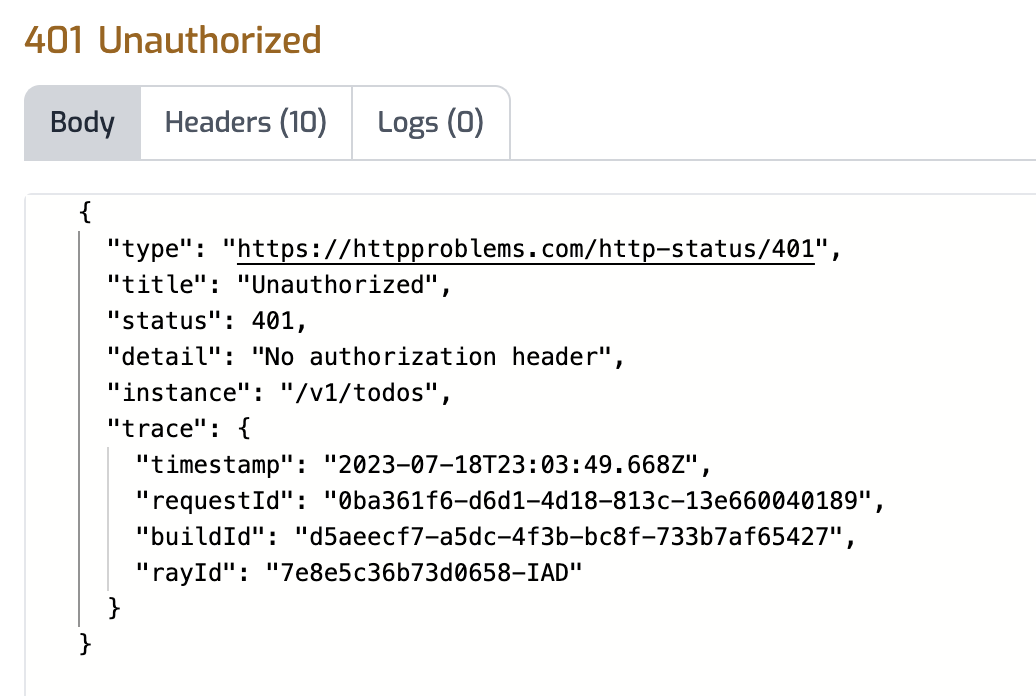
- Now to make an authenticated request, add a header to the request called
Authorization. Set the value of the header toBearer YOUR_API_KEYreplacingYOUR_API_KEYwith the value of the API Key you copied in the previous section.
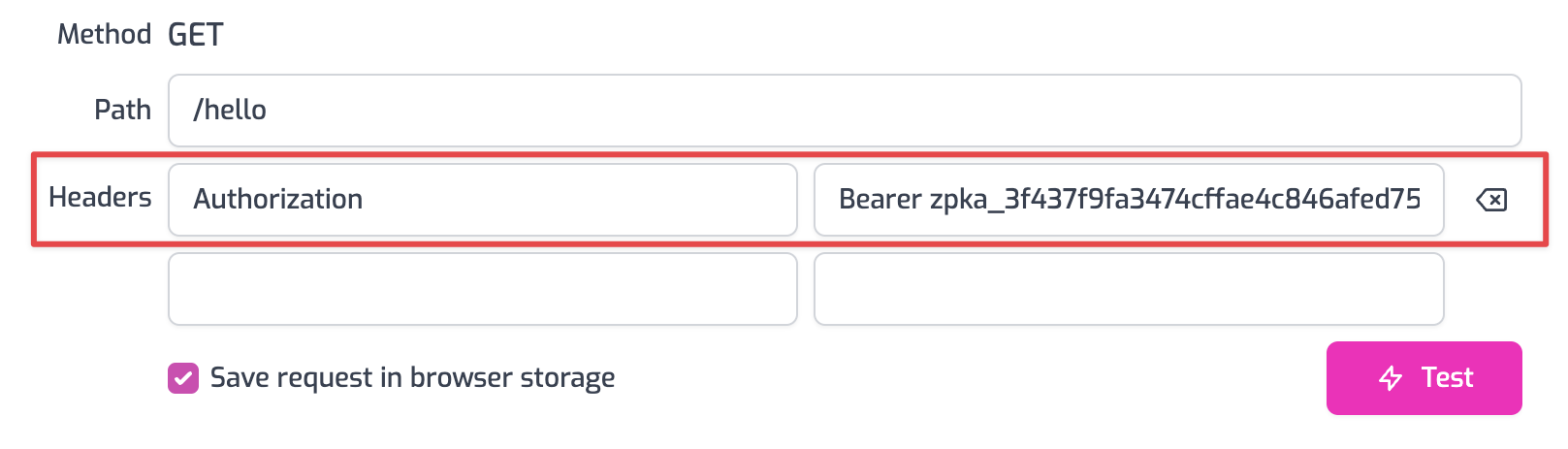
- Click the Test button and a 200 OK response should be returned.
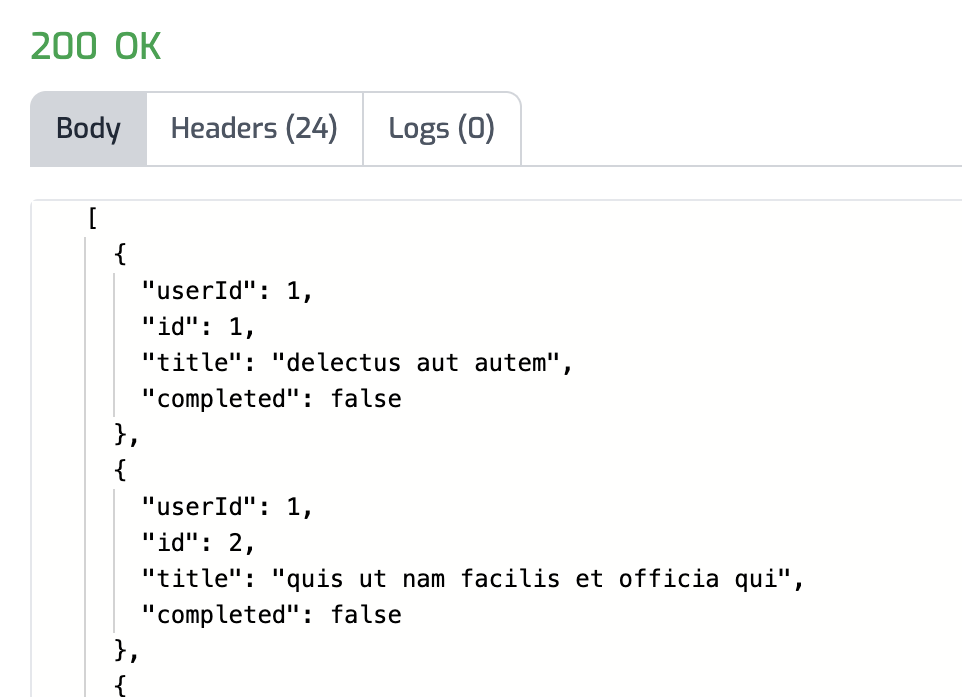
You have now setup API Key Authentication on your API Gateway.
See this document for more information about API Keys and API Key Management with Zuplo.
Writing Tests with the Auth Policy
For information on running tests while using API Key Authentication see the document Testing API Key Authentication.
Read more about how policies work